
 wikimagazines@gmail.com
In today’s digital workplace, knowing virtual meeting etiquette is essential for maintaining professionalism, fostering collaboration, and ensuring productive online interactions. With remote work, hybrid teams, and global clients, virtual meetings have become a cornerstone of communication, making proper etiquette more important than ever.
Virtual meeting etiquette encompasses behaviors, communication strategies, and technical preparedness that ensure meetings run smoothly and participants feel respected. This guide provides a comprehensive overview of best practices, from preparation to post-meeting follow-ups, helping professionals create efficient and positive virtual meeting experiences.
Why Virtual Meeting Etiquette Matters
Good virtual meeting etiquette is not just about following rules—it directly impacts productivity and professional reputation. Meetings that lack structure or etiquette often result in:
- Miscommunication and confusion
- Decreased engagement among participants
- Wasted time and reduced productivity
- Negative impressions on colleagues and clients
By practicing proper etiquette, participants demonstrate respect for everyone’s time, maintain professionalism, and foster a collaborative online environment.
Preparing for a Virtual Meeting
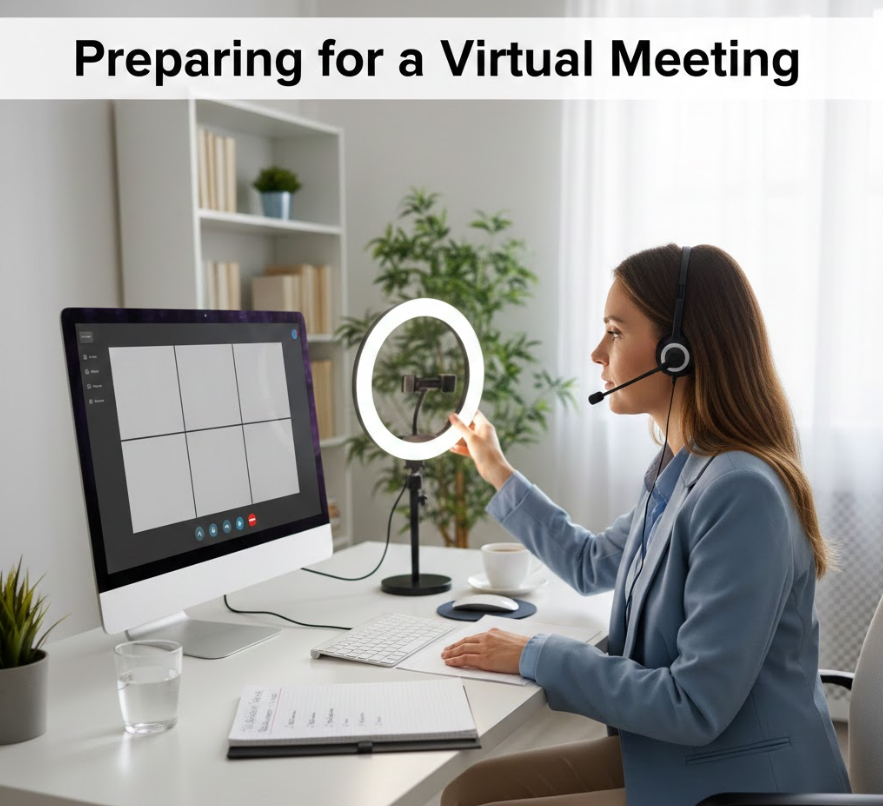
Preparation is a crucial aspect of virtual meeting etiquette. A well-prepared attendee ensures meetings start on time and flow smoothly.
Key preparation steps include:
- Testing Technology: Ensure your camera, microphone, and software are working.
- Reviewing Agenda: Understand topics, prepare questions, and gather necessary materials.
- Choosing a Quiet Space: Eliminate distractions to maintain focus.
- Professional Appearance: Dress appropriately for your role and audience.
Proper preparation reflects professionalism and sets the tone for productive discussion.
Also Read This:- Art Projects for Kids: A Comprehensive Guide to Creative Learning
Choosing the Right Environment
A professional setting is an essential element of virtual meeting etiquette. Factors to consider include:
- Lighting: Face a light source to ensure visibility.
- Background: Keep it clean and uncluttered, or use virtual backgrounds if appropriate.
- Noise Control: Avoid noisy environments; mute when not speaking.
- Minimizing Interruptions: Inform household members or colleagues to reduce disruptions.
A controlled environment ensures clarity and reduces distractions for all participants.
Punctuality and Joining Early
Being on time is a fundamental aspect of virtual meeting etiquette. Joining a meeting a few minutes early demonstrates respect for other participants’ time.
- It allows troubleshooting technical issues without delaying the meeting.
- Shows preparedness and commitment.
- Encourages a prompt start, keeping meetings efficient.
Punctuality reinforces professionalism and helps build a reputation as a reliable team member.
Audio and Video Etiquette
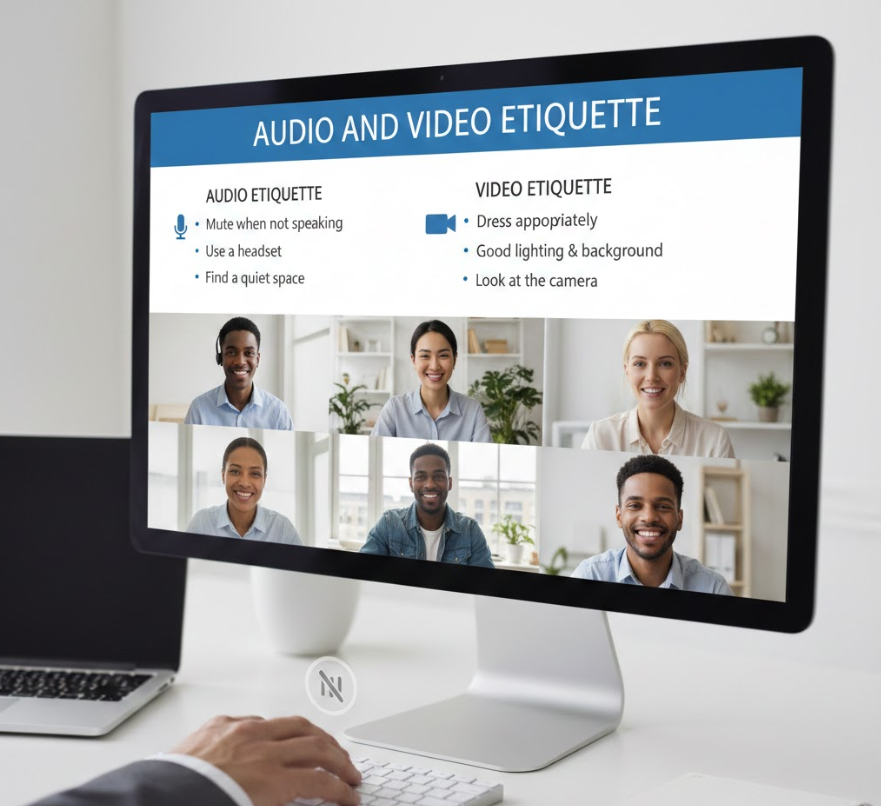
Audio and video practices are crucial in virtual meeting etiquette. Mismanaged audio or video can disrupt the flow and frustrate participants.
- Mute When Not Speaking: Reduces background noise.
- Use Headphones if Needed: Improves clarity and reduces echo.
- Maintain Eye Contact: Look at the camera to simulate in-person engagement.
- Avoid Multitasking: Stay focused on the meeting instead of checking emails or browsing.
Proper audio and video etiquette fosters engagement and minimizes technical disruptions.
Also Read This:- Shop Disco Cowboy Hat: The Ultimate Guide to Retro Western Style
Speaking and Turn-Taking
Effective communication is central to virtual meeting etiquette. Online meetings require structured turn-taking to avoid chaos.
- Use Hand-Raising Features: In platforms like Zoom or Teams to indicate you want to speak.
- Wait for Pauses: Avoid interrupting others.
- Be Concise and Clear: Make points efficiently to respect time.
- Use Chat for Side Notes: Keeps the main discussion focused while sharing additional input.
These strategies promote respectful and productive dialogue.
Professional Language and Behavior
Maintaining professionalism is key to virtual meeting etiquette. Language, tone, and demeanor influence perceptions of competence.
- Avoid Slang or Casual Language: Adjust tone based on participants and context.
- Positive and Respectful Tone: Encourages collaboration.
- Stay on Topic: Avoid going off on unrelated tangents.
- Acknowledge Contributions: Recognize input from colleagues to foster inclusivity.
Professional behavior strengthens trust and credibility in virtual interactions.
Visual Presentation and Body Language
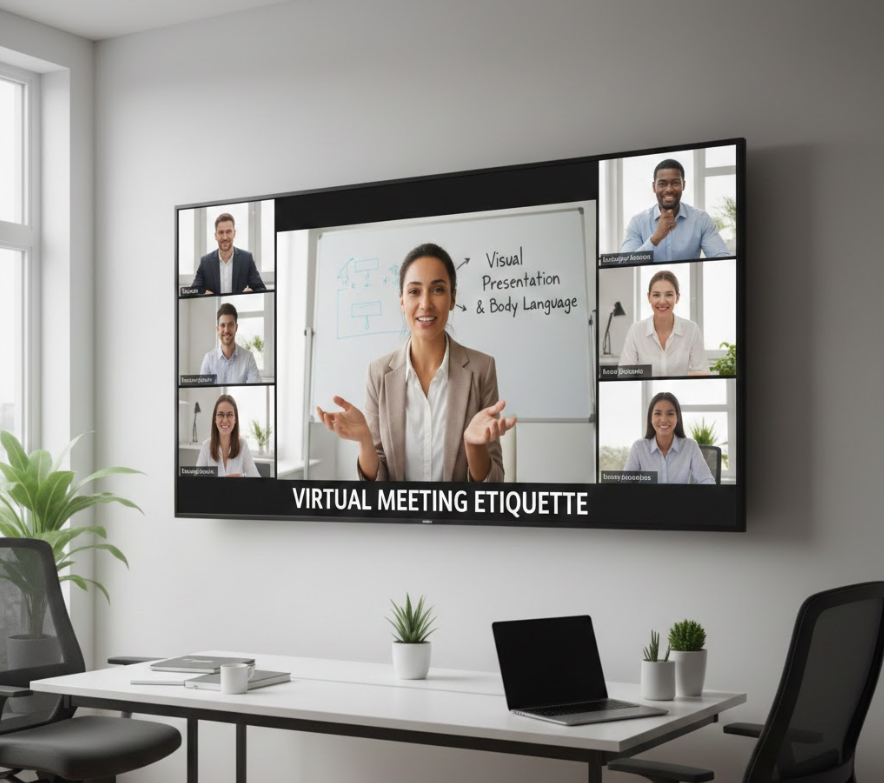
Non-verbal cues are still important in online meetings. Virtual meeting etiquette includes effective use of body language and visual presentation:
- Sit upright and maintain attentive posture.
- Smile or nod to indicate understanding.
- Avoid fidgeting or distracting movements.
- Ensure your attire aligns with organizational norms.
Even subtle non-verbal signals convey engagement and professionalism.
Also Read This:- How to Catch All Stormfish in Sea of Thieves MGRGameTron Guide
Handling Technical Issues
Technical glitches are inevitable. Proper handling is part of virtual meeting etiquette:
- Stay calm and professional if your connection drops.
- Inform the host via chat if you experience issues.
- Have backup options ready, such as phone dial-in.
- Test software updates before critical meetings.
Quick and polite handling of technical issues maintains meeting flow and respect.
Managing Distractions and Multitasking
Distractions and multitasking are common challenges in online meetings. Following virtual meeting etiquette involves minimizing interruptions:
- Silence notifications on your device.
- Close unrelated applications or browser tabs.
- Focus entirely on the meeting content.
- Avoid eating or doing unrelated tasks on camera.
This focus ensures your full contribution and demonstrates professionalism.
Inclusivity and Participation

Creating an inclusive environment is essential in virtual meeting etiquette.
- Encourage participation from all attendees.
- Call on quieter participants tactfully.
- Avoid side conversations that exclude others.
- Be mindful of cultural differences and time zones.
Inclusivity enhances collaboration and ensures everyone feels valued.
Also Read This:- How to Buy Ren Faire Tickets at King Soopers: A Complete Step-by-Step Guide
Meeting Roles and Responsibilities
Clearly defined roles contribute to virtual meeting etiquette:
- Host: Facilitates discussion, manages timing, and addresses technical issues.
- Presenter: Prepares content, shares materials, and engages participants.
- Attendees: Listen actively, contribute constructively, and respect speaking turns.
Defining responsibilities reduces confusion and improves meeting efficiency.
Using Visual Aids and Screen Sharing
Proper use of visual aids is a key aspect of virtual meeting etiquette:
- Prepare slides or documents in advance.
- Share your screen only when necessary.
- Ensure content is clear, readable, and professional.
- Avoid excessive animations or clutter.
Effective visual aids enhance understanding without overwhelming participants.
Email and Calendar Etiquette
Pre- and post-meeting communication is also part of virtual meeting etiquette:
- Send clear invitations with agendas and relevant documents.
- Confirm attendance or decline politely.
- Follow up with notes or action items after the meeting.
- Respect time zones when scheduling across locations.
Professional communication supports meeting preparation and accountability.
Also Read This:- How to Use AR Silins Software Silinsaxin: A Complete Practical Guide
Managing Large Virtual Meetings

Large meetings require additional virtual meeting etiquette strategies:
- Use breakout rooms for discussions.
- Designate a moderator to manage Q&A.
- Encourage concise input to avoid lengthy monologues.
- Use polls or chat for engagement.
These practices ensure efficiency and participation in larger groups.
Recording and Privacy Etiquette
Recording virtual meetings has ethical and legal considerations. Good virtual meeting etiquette includes:
- Inform participants before recording.
- Use recordings only for meeting purposes.
- Protect sensitive information.
- Store recordings securely and delete when no longer needed.
Respecting privacy builds trust and maintains professionalism.
Post-Meeting Etiquette
Professional conduct continues after the meeting. Virtual meeting etiquette includes:
- Sending summary notes or action items.
- Providing timely follow-up on responsibilities.
- Offering feedback constructively if requested.
- Thanking participants for their time and contributions.
Post-meeting etiquette reinforces accountability and appreciation.
Also Read This:- How to Apply Zlafuxvlex: A Complete Step-by-Step Guide for Best Results
Common Mistakes to Avoid
Even experienced professionals sometimes breach virtual meeting etiquette. Common mistakes include:
- Talking over others or dominating the discussion.
- Leaving video or audio on accidentally.
- Ignoring the agenda or straying off-topic.
- Neglecting follow-up actions.
- Poor lighting, unprofessional backgrounds, or distracting attire.
Avoiding these mistakes ensures a smooth, professional meeting experience.
Tips for Hosting Effective Virtual Meetings
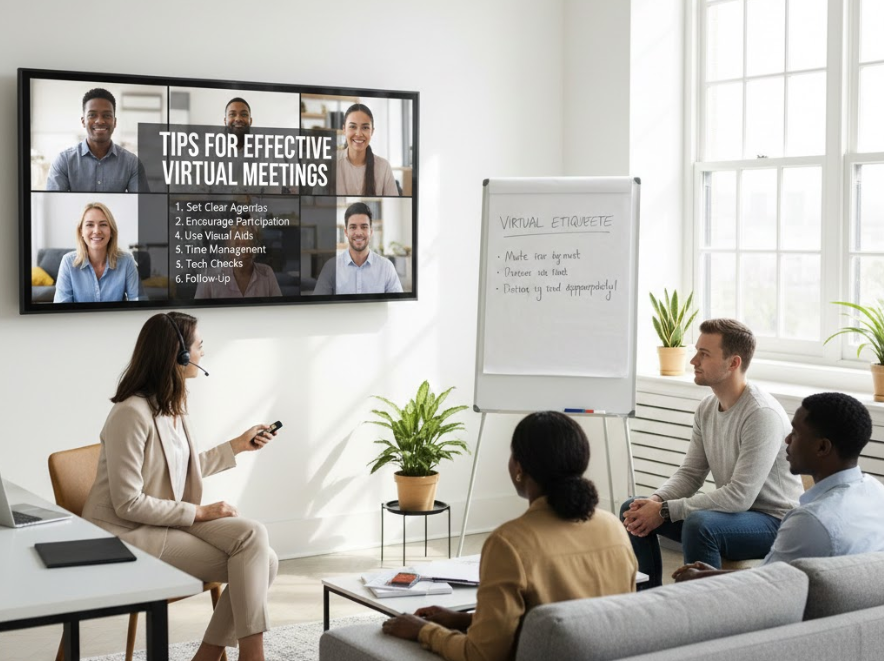
Hosts play a crucial role in enforcing virtual meeting etiquette:
- Share agendas in advance.
- Keep meetings concise and time-bound.
- Encourage participation and questions.
- Use clear visuals and moderate discussion.
- Summarize key points and next steps before closing.
Effective hosting creates a structured and productive environment.
Adapting Etiquette for Different Platforms
Different platforms have unique features affecting virtual meeting etiquette:
- Zoom: Manage breakout rooms, polls, and chat effectively.
- Microsoft Teams: Utilize collaborative documents and meeting channels.
- Google Meet: Monitor participation and use Q&A tools.
- Webex: Leverage screen sharing and mute/unmute controls efficiently.
Adapting etiquette to platform features enhances meeting flow and professionalism.
Also Read This:- How to Get to Clava Zeist: The Complete Travel Guide
Benefits of Following Virtual Meeting Etiquette
Following proper virtual meeting etiquette yields several benefits:
- Increases productivity and reduces meeting fatigue.
- Strengthens professional reputation.
- Enhances engagement and collaboration.
- Minimizes misunderstandings and technical disruptions.
- Creates a positive and inclusive virtual workplace culture.
These benefits underscore the importance of applying etiquette consistently.
Conclusion
Mastering virtual meeting etiquette is essential in today’s remote and hybrid work environments. From preparation and technical setup to communication, inclusivity, and post-meeting follow-up, following best practices ensures professionalism, engagement, and productivity. By adhering to etiquette standards, participants contribute to efficient meetings, positive workplace culture, and strong professional relationships.
Frequently Asked Questions
What is virtual meeting etiquette?
It is the set of best practices for professional, respectful, and efficient online meetings.
Why is virtual meeting etiquette important?
It improves engagement, professionalism, and overall meeting productivity.
How can I prepare for a virtual meeting?
Test technology, review the agenda, and choose a quiet, well-lit environment.
What should I avoid in virtual meetings?
Avoid multitasking, talking over others, off-topic discussions, and unprofessional backgrounds.
How do I follow up after a virtual meeting?
Send notes, action items, and thank participants for their time and contributions.
More Information Go And Visit:- Wiki Magazines