
 wikimagazines@gmail.com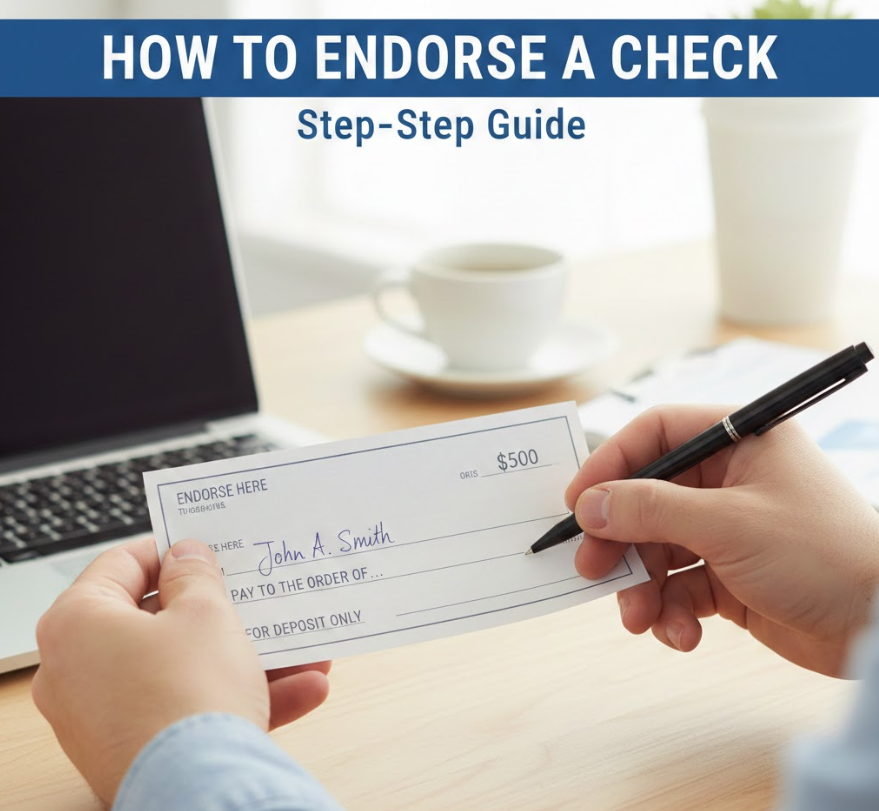
Endorsing a check may seem simple, but doing it incorrectly can lead to delays or financial issues. Whether you want to deposit a paycheck, transfer money to another person, or use mobile banking, understanding how to endorse a check properly is essential. This guide provides step-by-step instructions, expert tips, and practical examples to ensure your transactions are safe and compliant.
What Does “Endorsing a Check” Mean?
Endorsing a check is the process of signing the back of a check to authorize its deposit, transfer, or cashing. This signature confirms that you are the rightful recipient and gives permission for the bank or financial institution to process the check. The endorsement can vary depending on whether the check is being deposited into your account, transferred to someone else, or deposited via mobile banking.
• Authorization of Funds: By endorsing a check, you grant your bank or the recipient legal permission to access the funds. This step protects both parties and ensures the check is not misused.
• Types of Endorsements: There are various endorsement types, including blank, restrictive, and special endorsements, each serving different purposes and affecting how a check is processed.
• Security Measure: Endorsements act as a security layer to prevent unauthorized cashing or fraud. Banks often require proper endorsements to verify authenticity.
• Legal Evidence: A properly endorsed check serves as proof of agreement between the check issuer and recipient in case of disputes or discrepancies.
• Processing Efficiency: Endorsing correctly ensures faster clearing times and avoids delays in accessing your money.
• Mobile and Remote Deposits: For mobile banking, endorsements must often include specific instructions such as “For Mobile Deposit Only” to meet bank guidelines.
Also Read This:- How to Create a Drop Down List in Excel: Step-by-Step Guide for Every Version
How to Endorse a Check to Someone Else
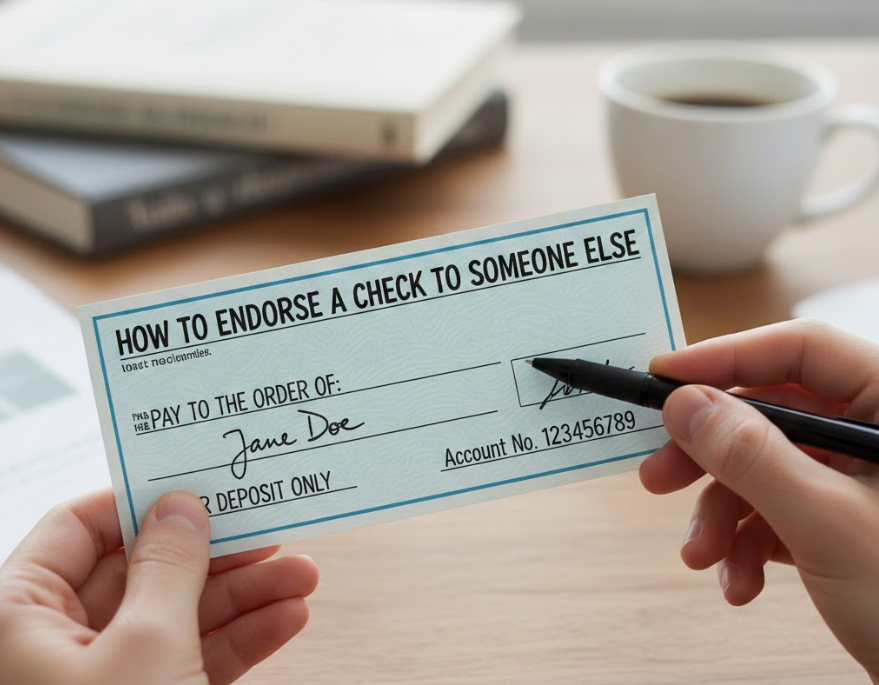
Endorsing a check to another person, also called a third-party endorsement, allows the payee to transfer the check to someone else legally. This can be useful for paying debts, giving gifts, or transferring funds to family or friends.
• Write “Pay to the Order of”: On the back, write “Pay to the order of [Recipient Name]” to designate the new recipient clearly.
• Sign Your Name: Add your signature beneath the instruction to confirm your authorization.
• Verify Identification: Both the bank and the new recipient should confirm the identities to prevent fraud or misuse.
• Bank Approval Required: Some banks may refuse third-party endorsements, so checking policies is critical.
• Avoid Blank Endorsements: Never leave the endorsement blank when transferring to someone else, as it can be cashed by anyone.
• Include Notes if Needed: Writing additional notes, like “For deposit only to [Recipient Account Number]” adds security and clarity.
Also Read This:- How to Descale a Keurig: The Complete Step-by-Step Guide for Every Model
How to Endorse a Check for Deposit
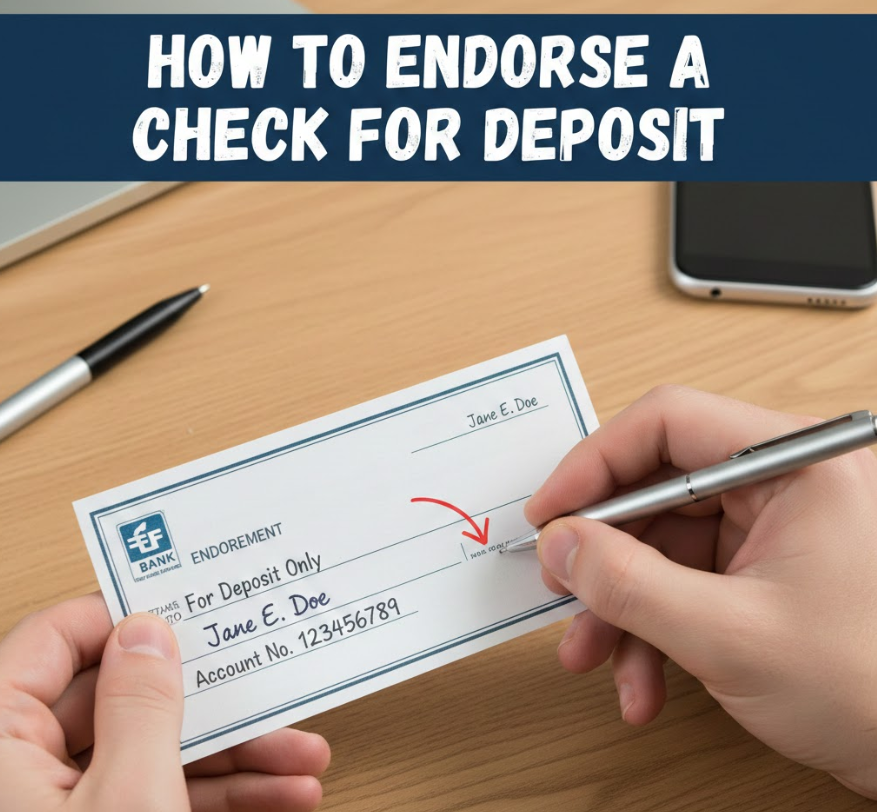
When depositing a check into your own account, a deposit endorsement is used to ensure the bank can safely credit your funds.
• Restrictive Endorsement: Writing “For Deposit Only” limits check use to depositing into your account, preventing theft.
• Sign Your Name: Your signature validates the endorsement, confirming your identity as the rightful payee.
• Include Account Number: Adding your account number ensures proper routing and faster processing.
• Avoid Mistakes: Double-check spelling and account numbers to prevent deposit errors.
• Mobile Deposit Instructions: Include instructions like “For Mobile Deposit Only” if using a banking app.
• Bank Requirements: Each bank may have specific rules, so always confirm endorsement standards before depositing.
Also Read This:- How to Cut a Pomegranate: The Complete Step-by-Step Guide for Perfect Seeds Every Time
How to Endorse a Check for a Minor
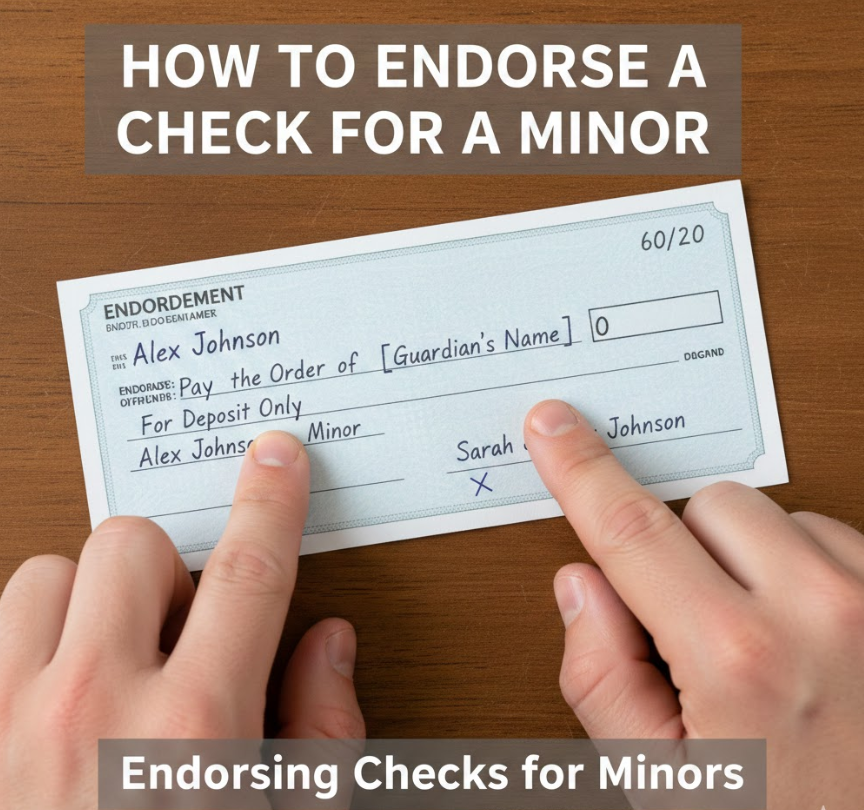
Endorsing a check for a minor requires extra precautions since a minor cannot typically sign legal documents alone.
• Parent or Guardian Sign: The guardian or parent should sign the check on behalf of the minor to authorize deposits.
• Add Minor’s Name: Include the child’s name for transparency in processing.
• Use “For Deposit Only”: Restrictive endorsement protects against misuse of the funds.
• Provide Identification: The bank may request identification for both the minor and guardian to ensure legality.
• Bank Account Verification: Ensure the check is deposited into an account owned by the minor or jointly with the guardian.
• Follow Legal Guidelines: Some states have laws limiting minor endorsements, so confirm local regulations.
Also Read This:- How to Breed Villagers in Minecraft: Complete 2026 Guide
How to Endorse a Check Over to Someone Else
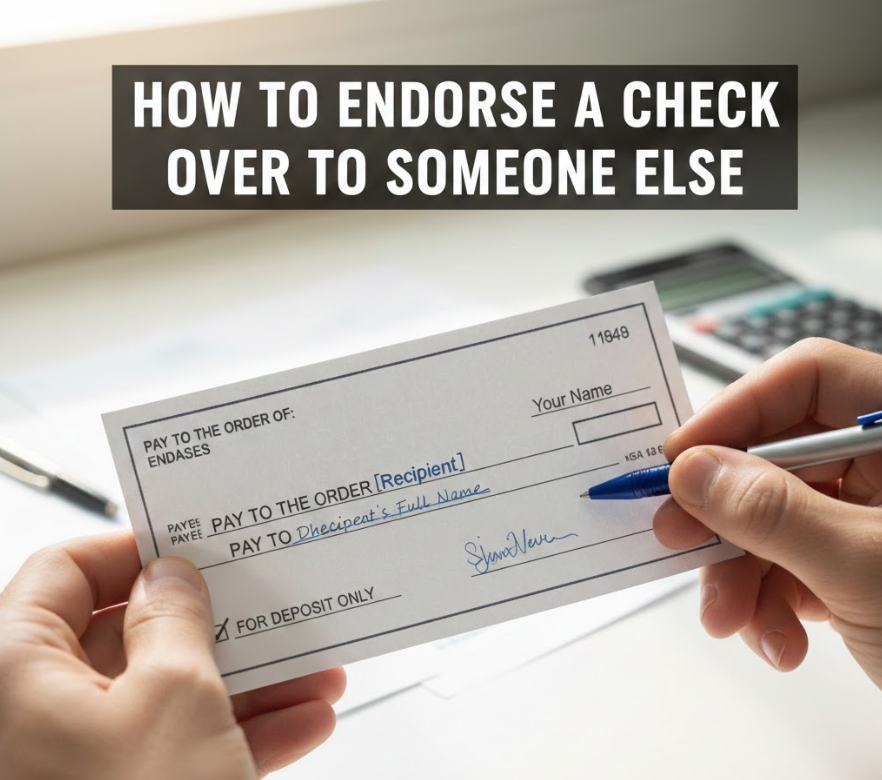
“Endorsing a check over” means transferring a check to another person for payment.
• Special Endorsement: Write “Pay to the order of [Name]” and sign beneath for legal transfer.
• Confirm Bank Acceptance: Not all banks accept checks endorsed over to a third party.
• Clear Instructions: Include any deposit restrictions to ensure the recipient can access funds safely.
• Avoid Fraud Risk: Only transfer to trusted recipients to reduce risk of bounced checks.
• Document the Transfer: Keep a record of the endorsement date, recipient, and purpose for accountability.
• Use Secure Channels: Physically hand over the check or use tracked delivery for mailed endorsements.
Also Read This:- How to Tame a Silver Fox: A Complete Guide
How to Endorse a Check to Someone
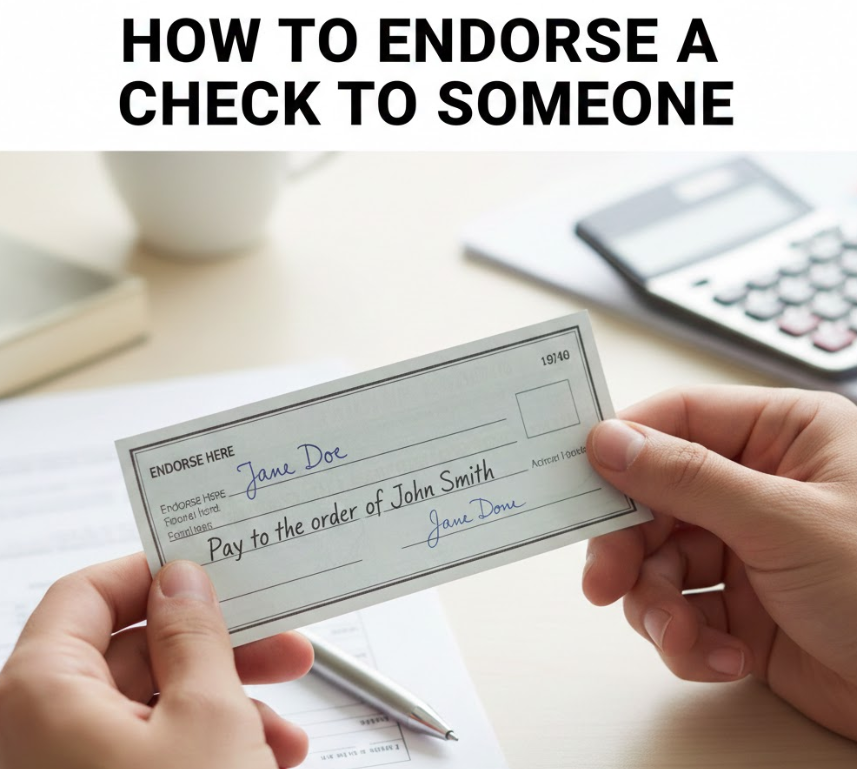
Endorsing a check to another person involves signing and assigning the check in a legal manner.
• Write Recipient’s Name: Clearly write “Pay to the order of [Recipient]” on the back.
• Sign Clearly: Your signature authenticates the transfer.
• Bank Verification: Recipient may need to provide ID to deposit.
• Restrict Use if Needed: Add “For deposit only” for security.
• Confirm Funds Availability: Ensure check is valid and cleared to avoid bounced transfers.
• Document Transfer: Maintain proof in case of disputes.
Also Read This:- How to Attract Birds: A Complete Guide to Bringing More Birds to Your Yard, Feeders, and Garden
How to Endorse a Check to Another Person
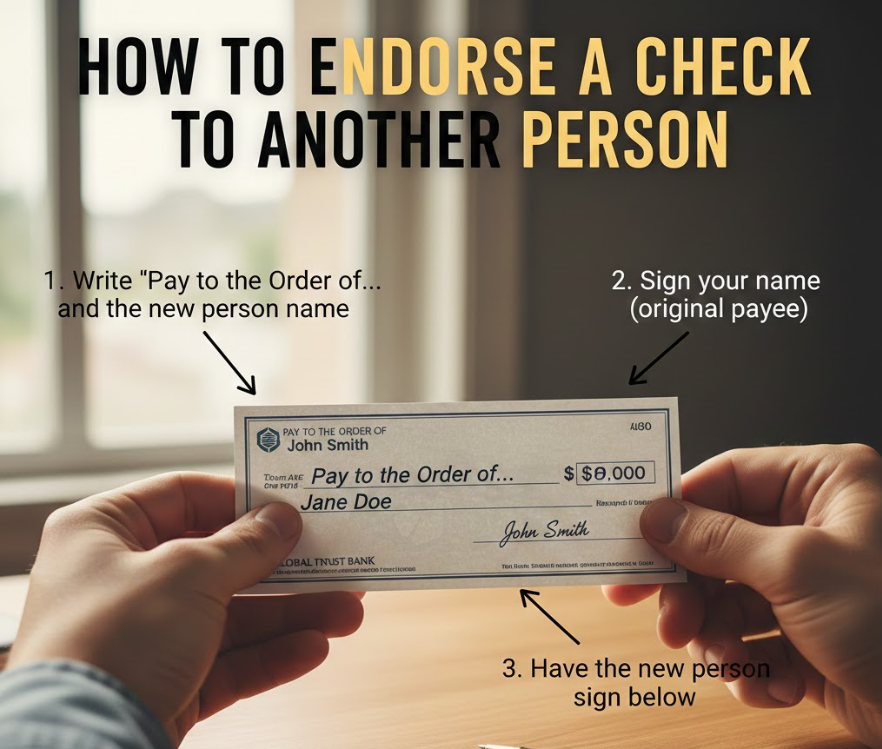
Similar to the previous section, but emphasizing legal third-party endorsements.
• Third-Party Signature: Sign with “Pay to the order of [Person]” for lawful transfer.
• Recipient Sign: The new recipient must endorse before deposit.
• Bank Policy Compliance: Verify if bank allows third-party deposits.
• Avoid Blank Endorsements: Prevents check theft.
• Include Notes: Write account details if depositing into a specific account.
• Keep a Record: Document for proof of legal endorsement.
Also Read This:- How to Change a Tire: A Complete Step-by-Step Guide for Every Vehicle
How to Endorse a Check for Deposit Only
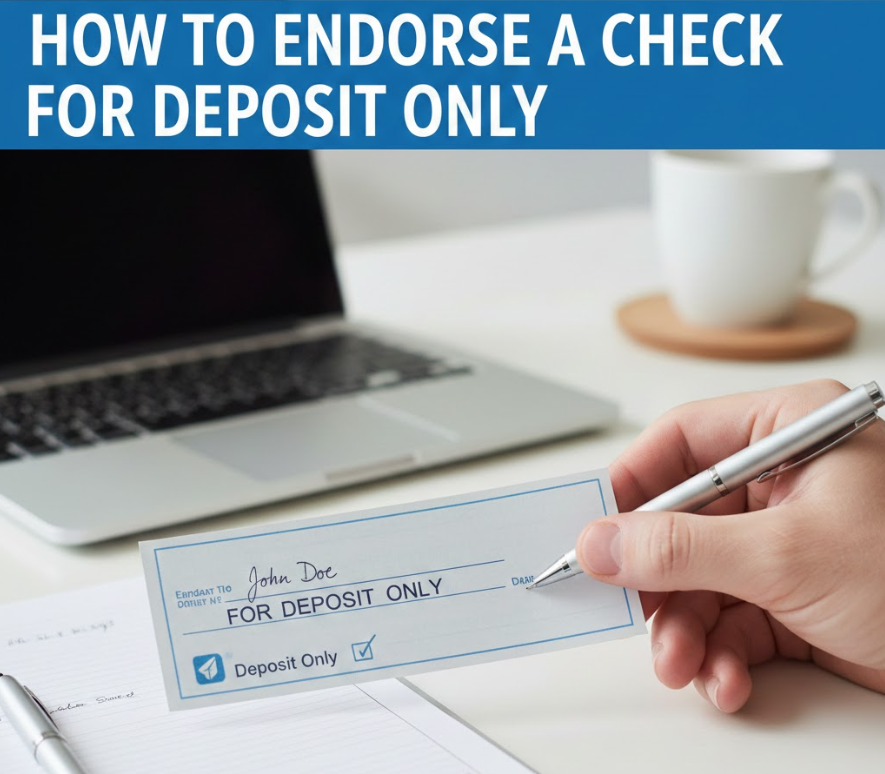
Restrictive endorsement ensures the check is only deposited into your account, providing extra security.
• Write “For Deposit Only”: Limits check use to deposit transactions.
• Sign Name: Authenticate your endorsement with a signature.
• Include Account Number: Ensures funds go to correct account.
• Mobile Deposit Compatibility: Add “For Mobile Deposit Only” if using banking apps.
• Avoid Third-Party Use: Restrictive endorsements cannot be transferred to another person.
• Bank Guidelines: Confirm your bank’s requirements for endorsement format.
Also Read This:- Interior Design Trends: Transform Your Home with Style and Innovation
How to Endorse a Check to a Family Member
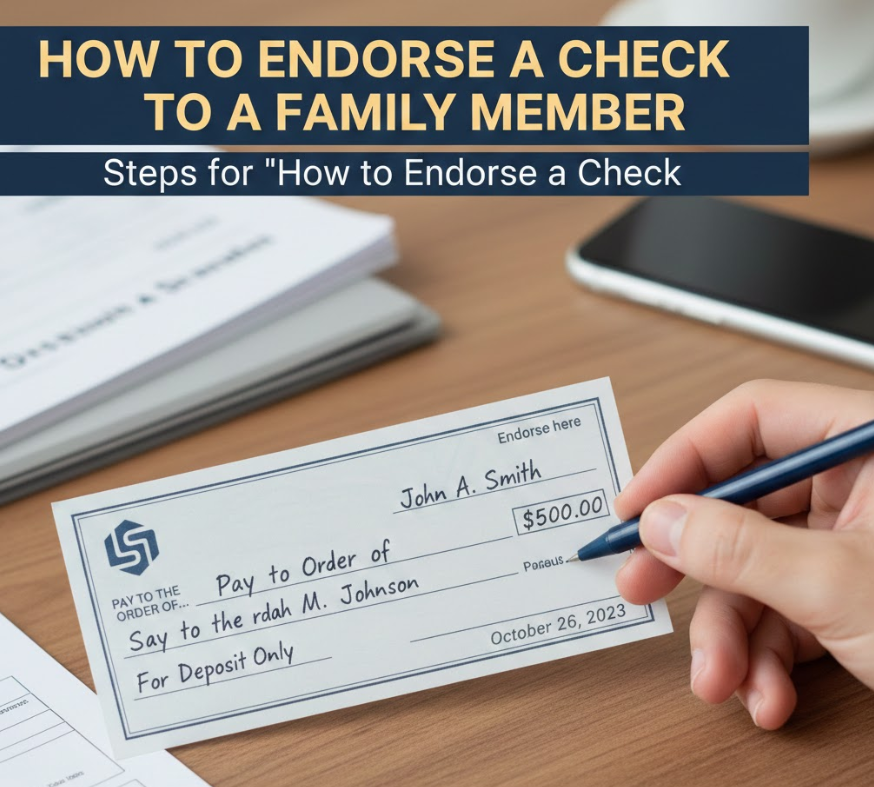
Transferring a check to a family member is legally possible but requires careful handling.
• Write Recipient Name: Include family member’s full name on back.
• Sign Authorization: Sign beneath for legal validation.
• Bank Verification: Some banks require both parties present.
• Restrictive or Open Endorsement: Choose based on risk tolerance.
• Document Relationship: Helpful for proof in disputes.
• Ensure Validity: Only endorse checks you own and have cleared.
Also Read This:- Virtual Meeting Etiquette: The Complete Guide for Professionals
How to Endorse a Check for Mobile Deposit Chase
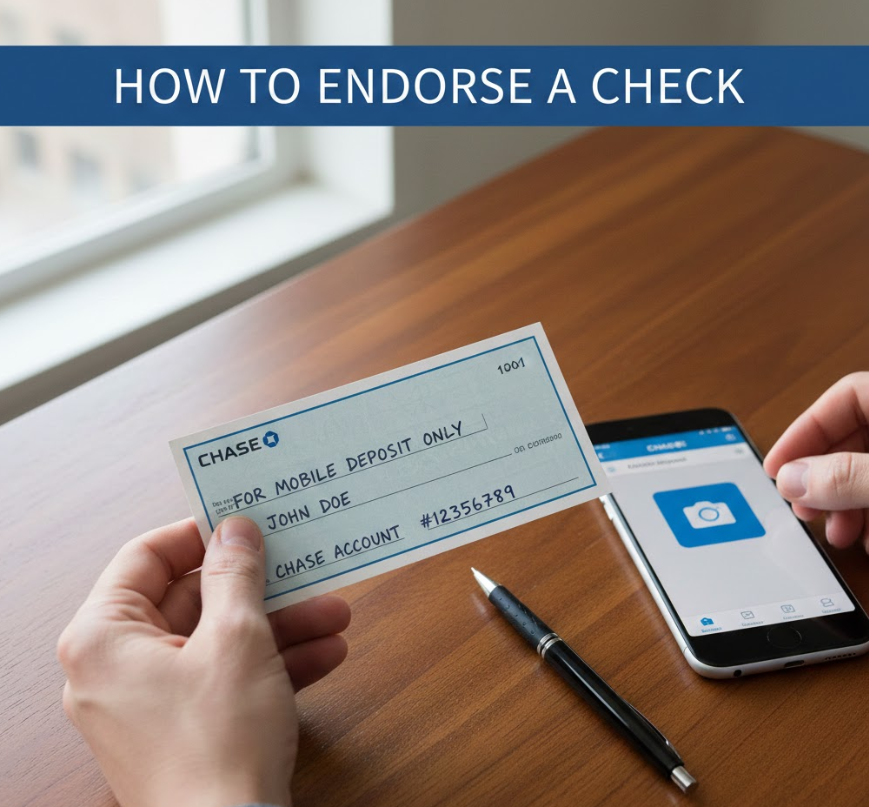
Mobile deposits require special instructions to ensure security and bank compliance.
• Write “For Mobile Deposit Only”: Restricts check to mobile processing.
• Sign Name: Confirms your identity.
• Include Account Info if Required: Some banks require account numbers.
• Follow App Instructions: Use Chase app guidance to prevent rejection.
• Ensure Check is Flat and Clear: Avoid wrinkles or smudges for mobile scanning.
• Deposit Promptly: Some banks impose time limits on mobile deposits.
Also Read This:- Art Projects for Kids: A Comprehensive Guide to Creative Learning
How to Endorse a Check Bank of America
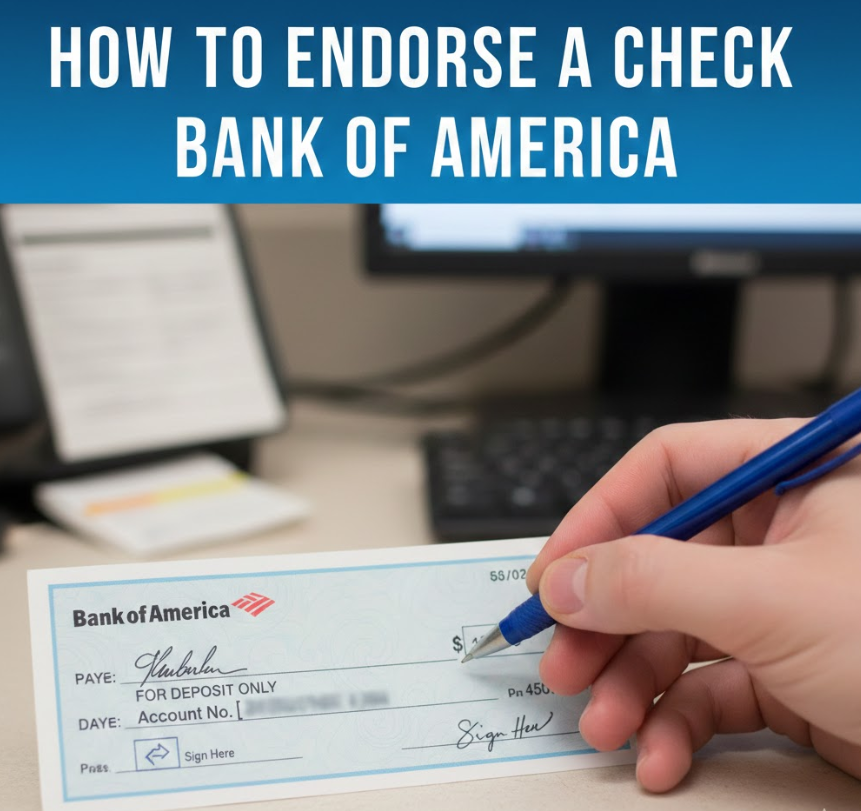
Each bank may have slightly different rules; Bank of America has specific endorsement formats.
• Sign Back: Simple signature if depositing in your account.
• Restrictive Instructions: Use “For Deposit Only” for security.
• Include Account Number: Speeds processing.
• Mobile Deposits: Add “For Mobile Deposit Only” if applicable.
• Follow Bank Policies: Bank of America may require app-specific formats.
• Check Deposit Limits: Be aware of maximum mobile deposit amounts.
Also Read This:- Shop Disco Cowboy Hat: The Ultimate Guide to Retro Western Style
How to Endorse a Check to a Third Party
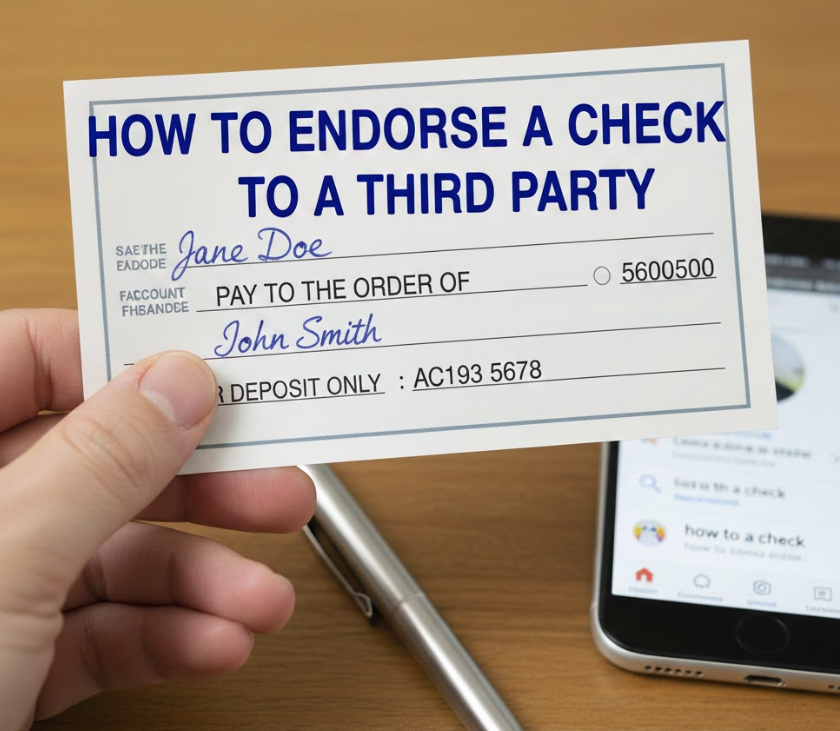
Third-party endorsements allow transferring the check to another individual.
• Write “Pay to the Order of [Third Party]”: Designates the new recipient.
• Sign Below: Confirms authorization.
• Bank Approval Needed: Many banks restrict third-party deposits.
• Avoid Fraud: Only transfer to trusted parties.
• Document Transaction: Keep record for security.
• Clarify Deposit Instructions: Notes like “For deposit only” prevent misuse.
Also Read This:- How to Catch All Stormfish in Sea of Thieves MGRGameTron Guide
How to Endorse a Check Chase
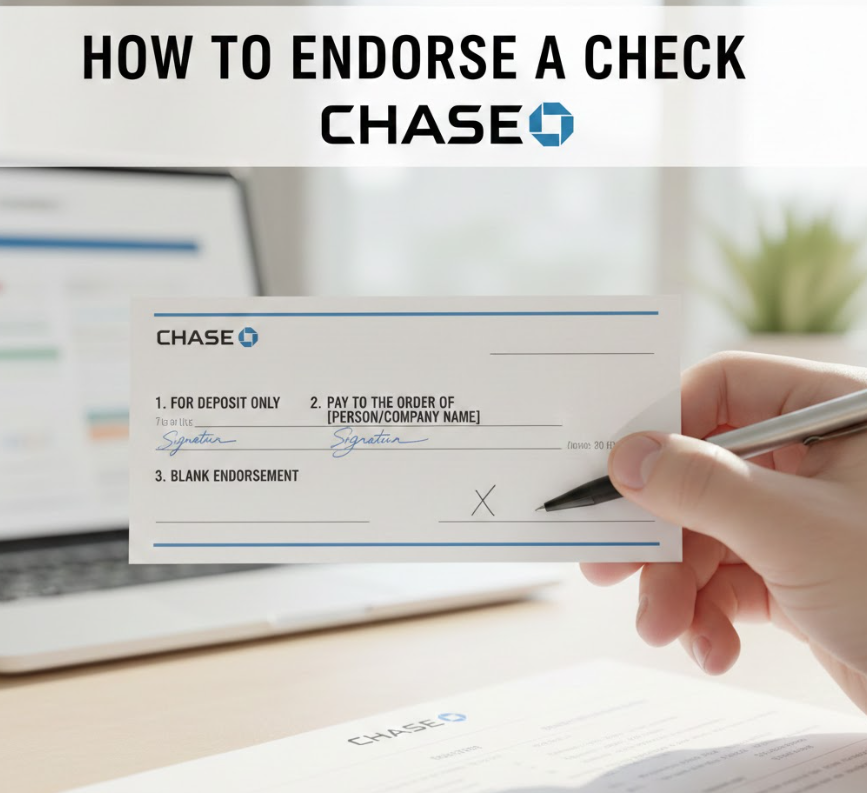
Specific tips for Chase Bank endorsement.
• Sign Check Back: Required for deposit.
• Restrictive Endorsement: “For Deposit Only” ensures safe deposit.
• Include Account Number: Optional but recommended.
• Mobile Deposit: Use “For Mobile Deposit Only” for app deposits.
• Check Policy: Confirm Chase guidelines.
• Avoid Third-Party Transfers: Chase has strict rules.
Also Read This:- How to Buy Ren Faire Tickets at King Soopers: A Complete Step-by-Step Guide
How to Endorse a Check with Two Names
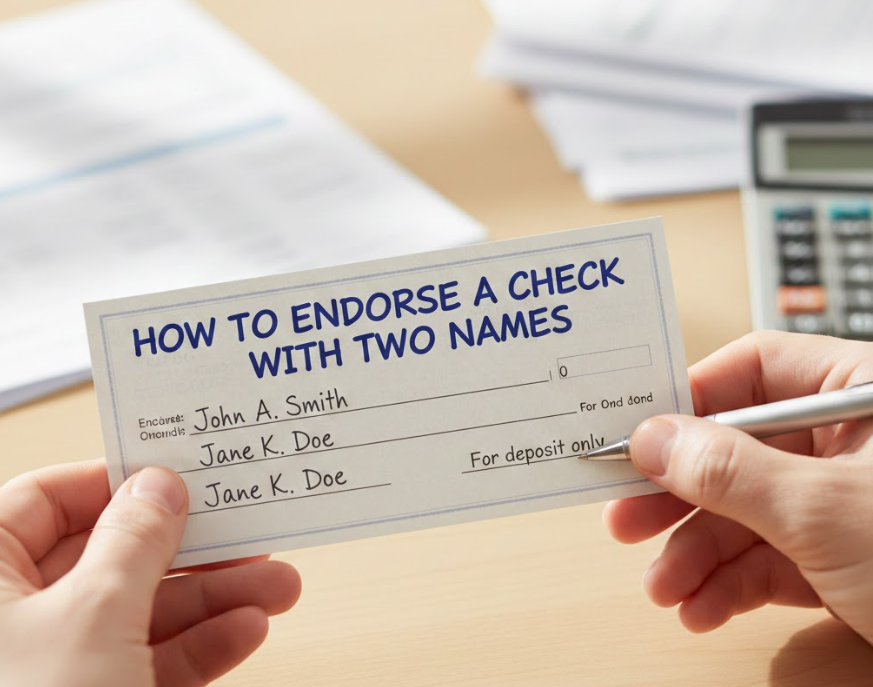
Checks with multiple payees require special attention.
• Both Payees Sign: Required if “and” is used; either may sign if “or” is used.
• Follow Bank Rules: Banks vary on how multiple payee checks are accepted.
• Use Restrictive Endorsement: Adds security.
• Account Verification: Ensure funds go into the correct account.
• Mobile Deposit Compatibility: Check if app accepts multiple endorsements.
• Avoid Conflicts: Confirm both signatures are legal to prevent delays.
Also Read This:- How to Use AR Silins Software Silinsaxin: A Complete Practical Guide
How to Endorse a Check Over
Similar to third-party endorsement; transfers check legally.
• Special Endorsement Needed: “Pay to the Order of [Recipient]” plus signature.
• Confirm Bank Acceptance: Many banks restrict this.
• Avoid Blank Endorsement: Prevents theft.
• Include Account Notes: Optional for clarity.
• Record the Transfer: Helpful for disputes.
• Trust the Recipient: Only transfer to a reliable person.
Also Read This:- How to Apply Zlafuxvlex: A Complete Step-by-Step Guide for Best Results
How to Endorse a Check for Someone Else

Signing on behalf of another person requires legal authority or power of attorney.
• Power of Attorney Required: Legal document needed for signing on behalf.
• Write Authorization: Include “per POA” next to signature.
• Include Recipient Info: Ensure bank deposits to correct account.
• Bank Verification Needed: Both parties may need ID.
• Avoid Unauthorized Use: Signing without authority is illegal.
• Restrictive Endorsement Recommended: Adds safety for all parties.
Also Read This:- How to Get to Clava Zeist: The Complete Travel Guide
How to Endorse a Check Mobile Deposit
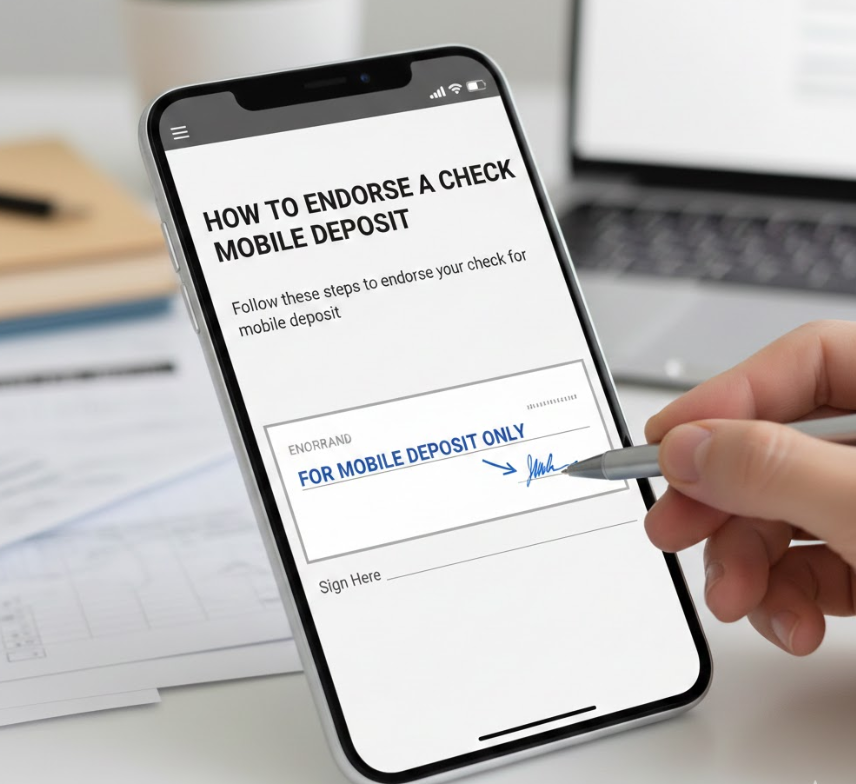
Mobile endorsements have unique requirements.
• Write “For Mobile Deposit Only”: Restricts check to app deposit.
• Sign Clearly: Confirms identity.
• Ensure Flat Surface: Check must be readable for app scan.
• Follow App Instructions: Different banks may have specific formats.
• Deposit Promptly: Banks may have time limits.
• Keep Physical Check: Hold for verification until funds are confirmed.
Also Read This:- Safe Journeys Streator IL: A Comprehensive Community Safety Guide
How to Endorse a Check to Someone Else Mobile Deposit
Transferring a check to another person via mobile banking has extra restrictions.
• Check Bank Policy: Many banks do not allow mobile third-party deposits.
• Recipient Sign Needed: Legal transfer requires their signature.
• Write “For Deposit Only”: Ensures security.
• Use Secure Channels: Avoid sending images via insecure apps.
• Confirm Account Validity: Recipient account must be verified.
• Keep Record: Document date, recipient, and amount.
Conclusion
Endorsing a check is more than just signing your name—it is a critical legal and financial process. Whether depositing, transferring to someone else, or using mobile banking, following proper endorsement practices protects your money, reduces fraud risk, and ensures smooth transactions. Always check your bank’s guidelines, use restrictive endorsements when needed, and document transfers for security.
FAQs
Q1: Can I endorse a check to a friend?
Yes, using a special endorsement, but confirm your bank allows third-party deposits.
Q2: What happens if I endorse incorrectly?
Incorrect endorsements can result in delays, rejected deposits, or fraud risk.
Q3: Can minors endorse checks?
Yes, but usually with a parent or guardian signing on their behalf.
Q4: Is “For Mobile Deposit Only” necessary?
Yes, most banks require this for mobile check deposits to prevent fraud.
More Information Go And Visit:- Wiki Magazines